Q. What is WhatsApp Business API?
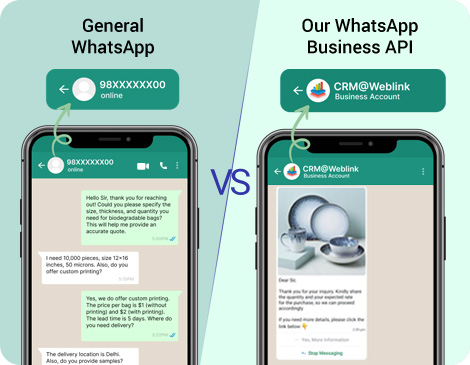
WhatsApp Business API is a powerful tool that lets businesses communicate with customers on WhatsApp at scale. It supports automated messages, notifications, and real-time interactions, making it perfect for customer support, order updates, and more.
Q. How does CRM integration work?
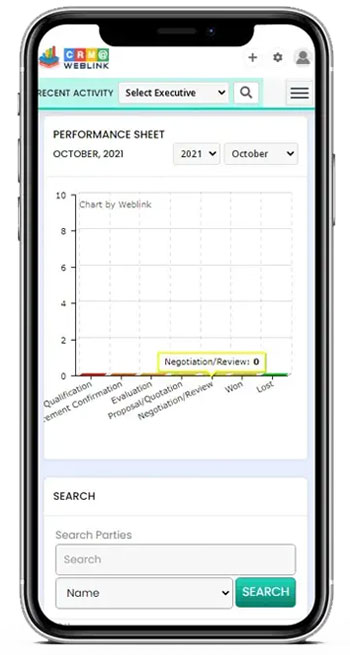
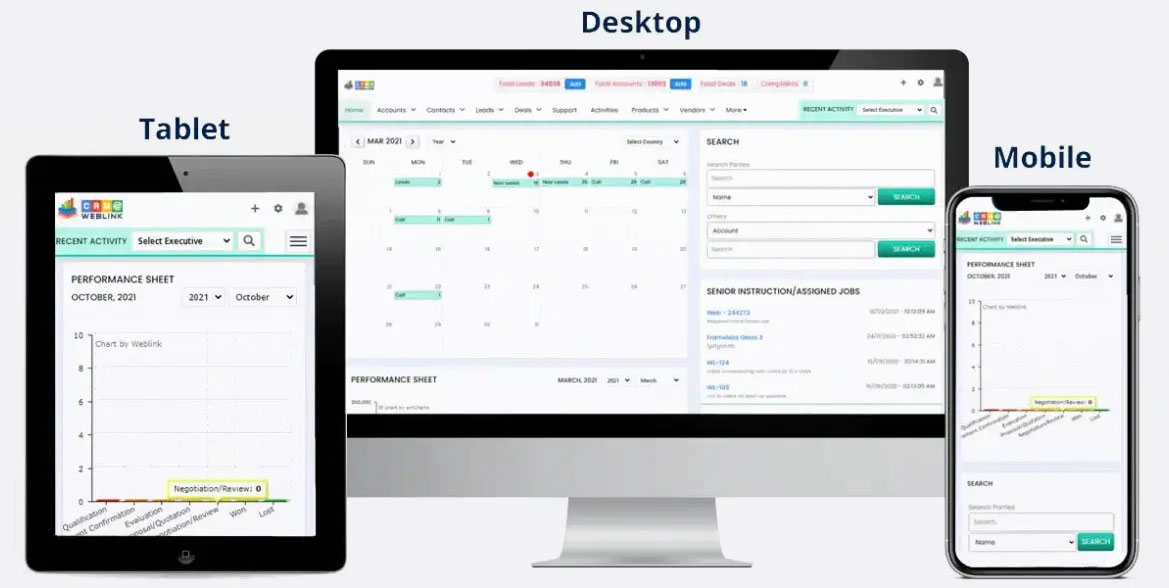
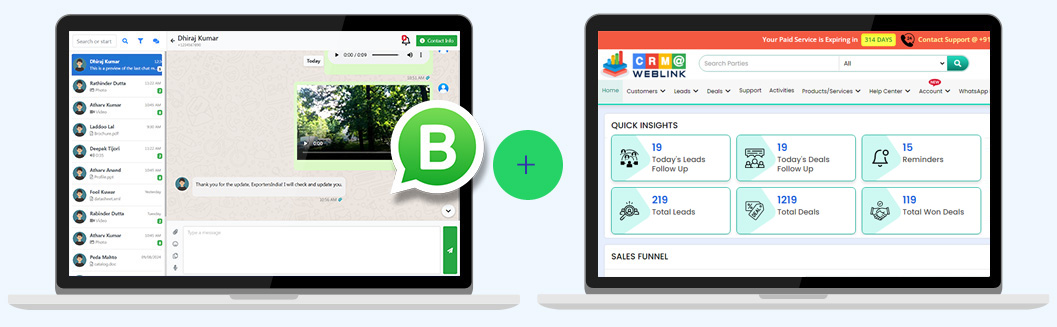
CRM integration connects your WhatsApp Business API with advanced CRM software. This allows you to manage leads, automate workflows, track customer interactions, and get real-time insights – all in one place.
Q. Can I use my existing WhatsApp number?
No, the WhatsApp Business API requires a new number that isn’t registered with any existing WhatsApp account.
Q. How long does setup take?
The setup process typically takes 8-9 business days, depending on how quickly you provide the required documents and complete the verification process. Our team at CRM@Weblink will guide you every step of the way!
Q. Is WhatsApp Business API suitable for small businesses?
Absolutely! WhatsApp Business API is perfect for businesses of all sizes. It helps small businesses automate customer communication, manage leads, and grow efficiently without needing a large team.
Q. Can I send promotional messages using WhatsApp Business API?
Yes, but promotional messages can only be sent to users who have opted in to receive them. WhatsApp has strict guidelines to ensure a spam-free experience for users.
Q. Do I need technical expertise to use this service?
Not at all! CRM@Weblink handles the setup, integration, and ongoing support. You don’t need any technical expertise – just focus on growing your business!
Q. What if I need help after setup?
Our team at CRM@Weblink provides support via Phone/Chat/Email to help you with any issues or questions. We’re here to ensure your WhatsApp Business API and CRM integration runs smoothly!
Q. What is the process for WhatsApp Business API (WABA) activation and CRM integration?
Step 1: WABA Without Brand Name (Limit: 250 Messages/Day)
- First, the Company’s Facebook Business Manager (FBM) Portfolio needs to be created or updated.
- Then, we apply for the WhatsApp Business API (WABA) without a brand name.
- The approval process usually takes 7–10 days.
- In this stage, messaging is limited to 250 messages per day.
Step 2: WABA–CRM Integration & Training
- Once WABA is activated (without the brand name), we immediately integrate it with the CRM.
- Customer training begins right away—without waiting for brand name approval.
- This ensures you can start using WABA (with limited capacity) or at least manage your data in CRM from the first day of service activation.
Step 3: Brand Name Approval Process
- The brand name application can only be submitted after Step 1 activation.
- We then initiate the brand name approval through the KYC process in the client’s FBM account.
- For this step, the mandatory documents and required details must be submitted to Meta.
- Once approved, your account moves beyond the 250 messages/day limit and gains full messaging capacity as per Meta’s tier system.
Note:
- Any one of the above-mentioned documents is required
- Please ensure that any submitted document clearly displays the exact company name (and in the same language) & Address, as it appears as the legal business name in the FBM account. This is crucial for smooth and efficient FBM & KYC verification.
AND, additional Mandatory Requirements:
Step 4: Mobile number proof of the number updated in the FBM Portfolio (e.g., phone bill or any company document displaying that mobile number). It is mandatory for International Customers but in some cases Meta may ask from India Customer’s too.
Step 5: A functional website with SSL is required, including a Products/Services page and a Contact Us page with the same address as in FBM/documents. If the brand name (required for WhatsApp display) differs from the legal business name in FBM/documents, display the brand name in the website header and the legal business name in the footer along with the rights reserved statement (like: Copyright © legal company name. All Rights Reserved), as shown in the example below.
Example: https://weblink.in/, Brand – CRM@Weblink | Legal Name – Weblink.In Pvt. Ltd.
Header: CRM@Weblink
Footer: © Copyrights Weblink.In Pvt. Ltd. 1997. All rights reserved
Step 6: A mobile number for WABA activation: The number must not be linked to any existing WhatsApp account and should be able to receive an OTP via SMS or voice call.
Q. What are the documents and prerequisites for WhatsApp Business API activation?
Mandatory Documents Required:
Step 1: Company’s registration or incorporation documents.
- Company registration documents may be referred to by different names in different countries, such as MSME, Trade License, Certificate of Incorporation, Commercial Registration (CR Certificate), Business Registration, Certificate of Registration, and Business Number (BN).
OR,
Step 2: Tax registration certificate (e.g., GST, VAT Certificate etc)
OR,
Step 3: Recent current account bank statement
Note:
- Any one of the above-mentioned documents is required
- Please ensure that any submitted document clearly displays the exact company name (and in the same language) & Address, as it appears as the legal business name in the FBM account. This is crucial for smooth and efficient FBM & KYC verification.
AND, additional Mandatory Requirements:
Step 4: Mobile number proof of the number updated in the FBM Portfolio (e.g., phone bill or any company document displaying that mobile number). It is mandatory for International Customers but in some cases Meta may ask from India Customer’s too.
Step 5: A functional website with SSL is required, including a Products/Services page and a Contact Us page with the same address as in FBM/documents. If the brand name (required for WhatsApp display) differs from the legal business name in FBM/documents, display the brand name in the website header and the legal business name in the footer along with the rights reserved statement (like: Copyright © legal company name. All Rights Reserved), as shown in the example below.
Example: https://weblink.in/, Brand – CRM@Weblink | Legal Name– Weblink.In Pvt. Ltd.
Header: CRM@Weblink
Footer: © Copyrights Weblink.In Pvt. Ltd. 1997. All rights reserved
Step 6: A mobile number for WABA activation: The number must not be linked to any existing WhatsApp account and should be able to receive an OTP via SMS or voice call.
 Meta-Verified Official Technology Provider for WhatsApp Business API








 Create and verify your business page under your company or brand name.
 Go to business.facebook.com.